
What to Automate First in a Small Business (and What to Skip)
Most owners automate whatever annoys them most this week. A simple four-part score shows which tasks will actually pay back first, and which ones will cost you customers if a machine gets them wrong.
Most owners decide what to automate first in their small business the same way: they pick whatever annoyed them most this week. The invoice that went out late. The enquiry nobody answered on Sunday. So they buy a tool, wire it up in a weekend, and three months later it is either quietly switched off or causing a new kind of mess.
There is a better way to choose, and it takes about an hour with a sheet of paper. You list the tasks your team repeats, score each one on four questions, and start with the highest score that is also safe to get wrong.
This guide walks through that score, shows a worked example from a typical service business, and names the tasks we would leave alone for now, even though they look tempting.
Why the first automation decides the second
Your first automation is a test of trust as much as a test of software. If it works quietly for a month, the team starts suggesting the next one. If it sends a wrong quote to a good customer, everyone remembers, and the next idea gets a polite "let's not".
So the goal for the first project is modest. Pick something that saves real hours, fails in a way you can catch, and can be explained to the team in two sentences.
The potential is large, which is part of the problem. McKinsey's 2023 research estimated that current generative AI and other technologies could automate activities that take up 60 to 70 percent of employees' time. That is a measure of what is technically possible, not a plan. For a 12-person business, the useful question is narrower: which one task, done by a machine from next month, would make the biggest difference with the least risk?
List every repeated task before you score anything
Spend a week writing down the repetitive work as it happens. Ask each person to keep a short note: what they did, how long it took, and how often it comes up. You will miss things if you try to do it from memory in a meeting.
A typical list from a services business might include:
- Replying to new enquiries on WhatsApp and the website form
- Sending quotes and chasing the ones with no reply
- Booking appointments and sending reminders
- Raising invoices and chasing late payments
- Copying order or job details from one system into another
- Building the weekly sales report for the owner
- Answering the same five customer questions about price, location and timing
If a task is messy or nobody agrees how it works, mark it. You will need that later. Our guide on auditing a business workflow before automating it covers how to map those messy ones properly.
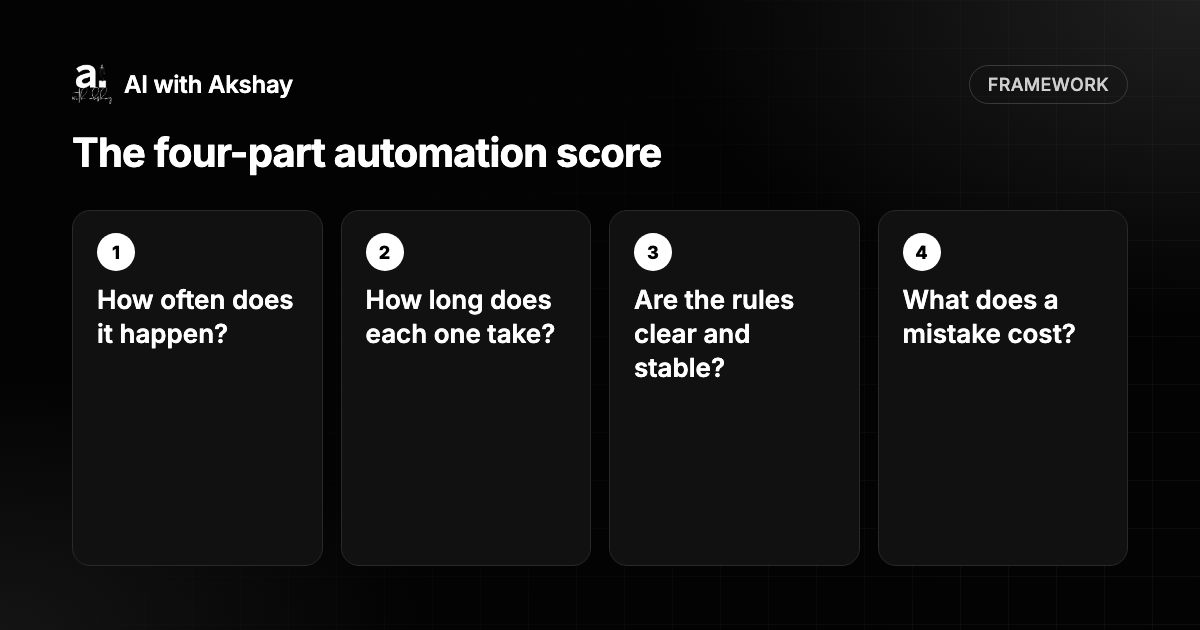
Score each task on four questions
Give every task a score from 1 (low) to 3 (high) on each of these:
| Question | 1 | 3 |
|---|---|---|
| How often does it happen? | A few times a month | Many times a day |
| How long does each one take? | Under 2 minutes | 15 minutes or more |
| Are the rules clear and stable? | Depends on judgement or changes often | Same steps every time, written down |
| What does a mistake cost? | Lost customer, money or legal trouble | Small, easy to spot and fix |
Note the last row runs backwards. A low mistake cost scores high, because that makes the task safer to hand to a machine.
Multiply the first two (frequency × time) to get the hours at stake. Then add the last two to get a safety score. You want tasks that are high on both.
Our decision rule is simple. Start with the task that has the highest hours score among those with a safety score of 5 or 6. If nothing reaches 5, your first job is to tidy a process, not to automate it.
A worked example from a 12-person service business
Here is how the scoring might look for an illustrative interior design studio in Kochi with two salespeople, a small project team and one person handling accounts. The numbers are examples, not benchmarks.
| Task | Frequency | Time | Hours score | Clear rules | Mistake cost | Safety score |
|---|---|---|---|---|---|---|
| First reply to new enquiries | 3 | 1 | 3 | 3 | 3 | 6 |
| Appointment reminders | 3 | 1 | 3 | 3 | 3 | 6 |
| Copying job details into the project sheet | 3 | 2 | 6 | 3 | 2 | 5 |
| Weekly sales report | 1 | 3 | 3 | 3 | 3 | 6 |
| Chasing late payments | 2 | 2 | 4 | 2 | 2 | 4 |
| Writing custom quotes | 2 | 3 | 6 | 1 | 1 | 2 |
Two tasks score 6 on hours. But custom quotes fail the safety test badly: the rules depend on the designer's judgement, and a wrong number in front of a client is expensive. So the studio should start with copying job details into the project sheet. It happens daily, the steps are fixed, and a mistake shows up the same day when someone opens the sheet.
The first reply and the reminders come next. They score lower on hours but are almost risk-free and visible to customers, which builds goodwill quickly.
Good first automations for most small businesses
When you run this score, the same handful of tasks tend to come out near the top:
- Moving data between systems. Form entries into a CRM, paid orders into an accounting tool, job details into a shared sheet. These are frequent and rule-bound, and errors are easy to spot.
- The first reply to an enquiry. An honest acknowledgement with one or two questions, followed by a human. A tool like the ready-made WhatsApp flows in SynxZap's automation library covers this without custom work.
- Reminders. Appointments, renewals, documents due. The message barely changes and the cost of a slightly awkward wording is low.
- Recurring reports. The weekly numbers the owner asks for every Monday. The rules are fixed once you agree which figures matter.
And when the tools you already pay for cannot talk to each other, that is usually the moment to bring in engineers rather than stack another subscription on top. A team such as Synx, which builds custom integrations and internal tools, can join two systems properly so the data moves once and stays correct.
Tasks to leave alone for now
Some work looks repetitive but scores badly on safety. We would not automate these first:
- Pricing and custom quotes. They depend on judgement, and an error lands directly in front of a buyer.
- Complaints and refunds. An upset customer who gets a scripted reply usually becomes a more upset customer.
- Anything involving tax, legal or regulated data. Automation can help prepare the work, but a qualified person should check it. Take professional advice before changing how these are handled.
- Processes nobody agrees on. If three people do it three ways, automation will simply copy the confusion faster.
None of these are forbidden forever. Once the team trusts the first few automations, you can use AI to draft quotes or summarise complaints for a person to approve. The human stays in the loop; the machine does the typing.
How to run the first one without breaking anything
Keep the first project small enough to finish in two to four weeks.
- Write down the current steps for the chosen task, including the odd cases.
- Measure the baseline: how many times a week, how long each, how many errors.
- Run the automation alongside the person for a week or two. Both do the work; compare the results.
- Switch over only when the automated version matches or beats the manual one.
- Name an owner who checks it weekly and fixes it when something upstream changes.
That last step matters more than the tool. Automations break when a form field is renamed or a supplier changes their invoice layout. Somebody needs to notice.
Common questions
How many tasks should we automate at once?
One. Finish it, measure it, and let the team live with it for a few weeks. Running three projects in parallel means three half-finished systems and no clear lesson about what worked.
Should we use AI or simple rule-based automation?
Start with plain rules wherever the steps are fixed, because they are cheaper and easier to check. Bring in AI for the parts that involve reading or writing text, such as sorting enquiries or drafting replies, and keep a person reviewing the output at first.
What if no task scores well on safety?
Then your processes need tidying before any automation will help. Pick the most frequent task, agree on one way of doing it, write it down, and score it again in a month.
Start with one hour and a list
You do not need a strategy deck to begin. List the repeated tasks this week, score them on the four questions, and pick the safest high scorer. That one choice will teach your team more about automation than any amount of reading.
If you would like a second pair of eyes on the scoring and a plan for the first three projects, work with Akshay on your automation roadmap.